

Purchase approvals with budget checks built in
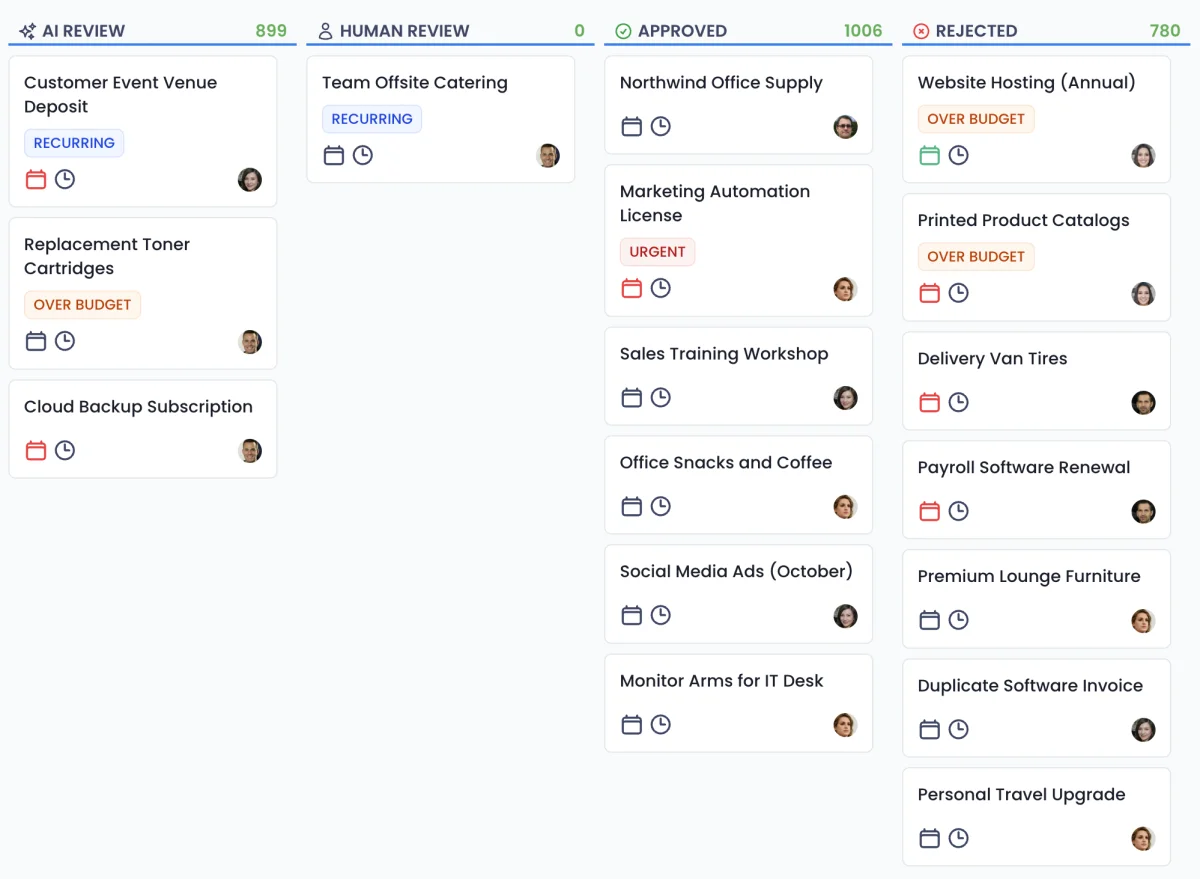
Every purchase request is checked for budget, quotes and approved vendors before anyone has to look at it.
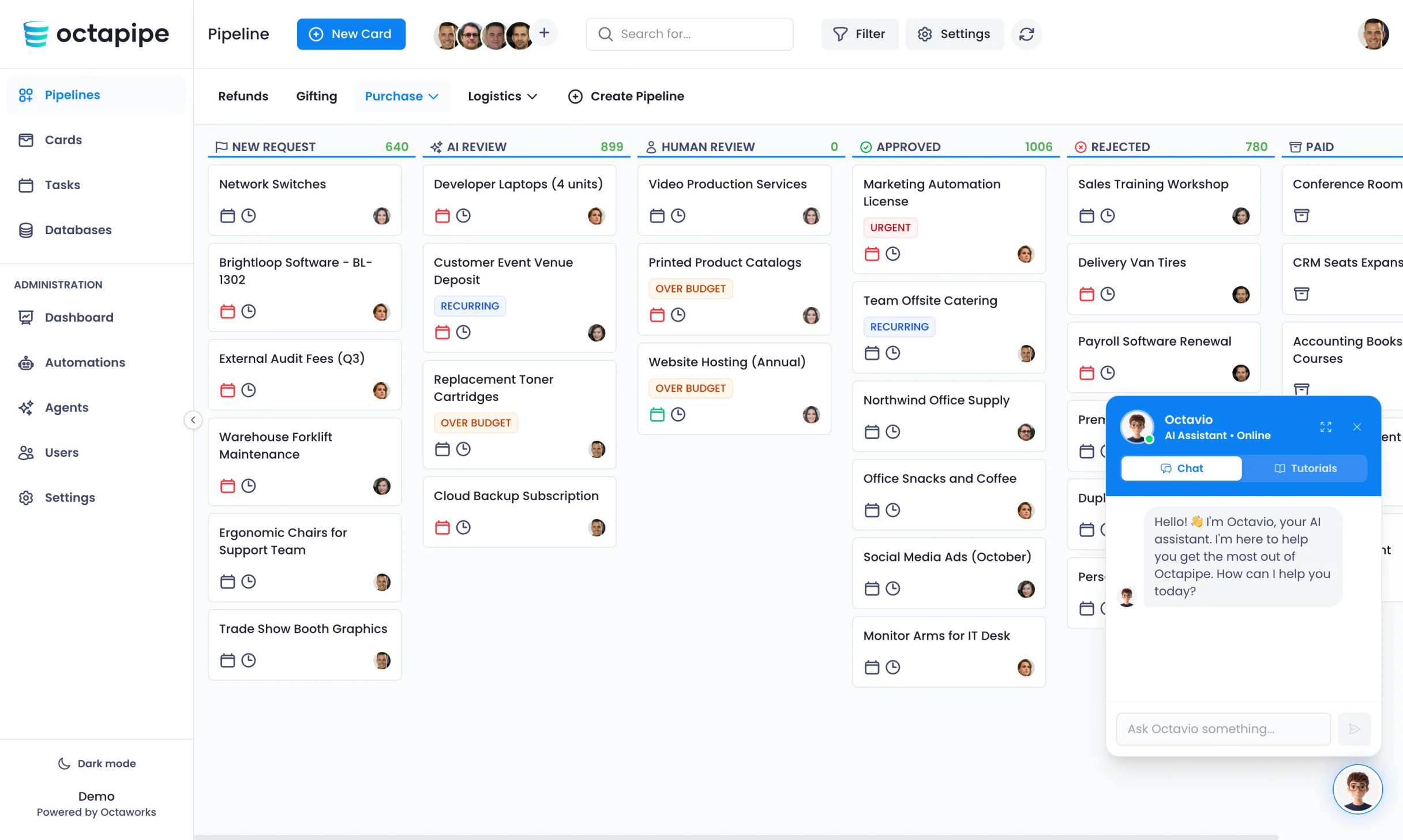


Every purchase request in one card
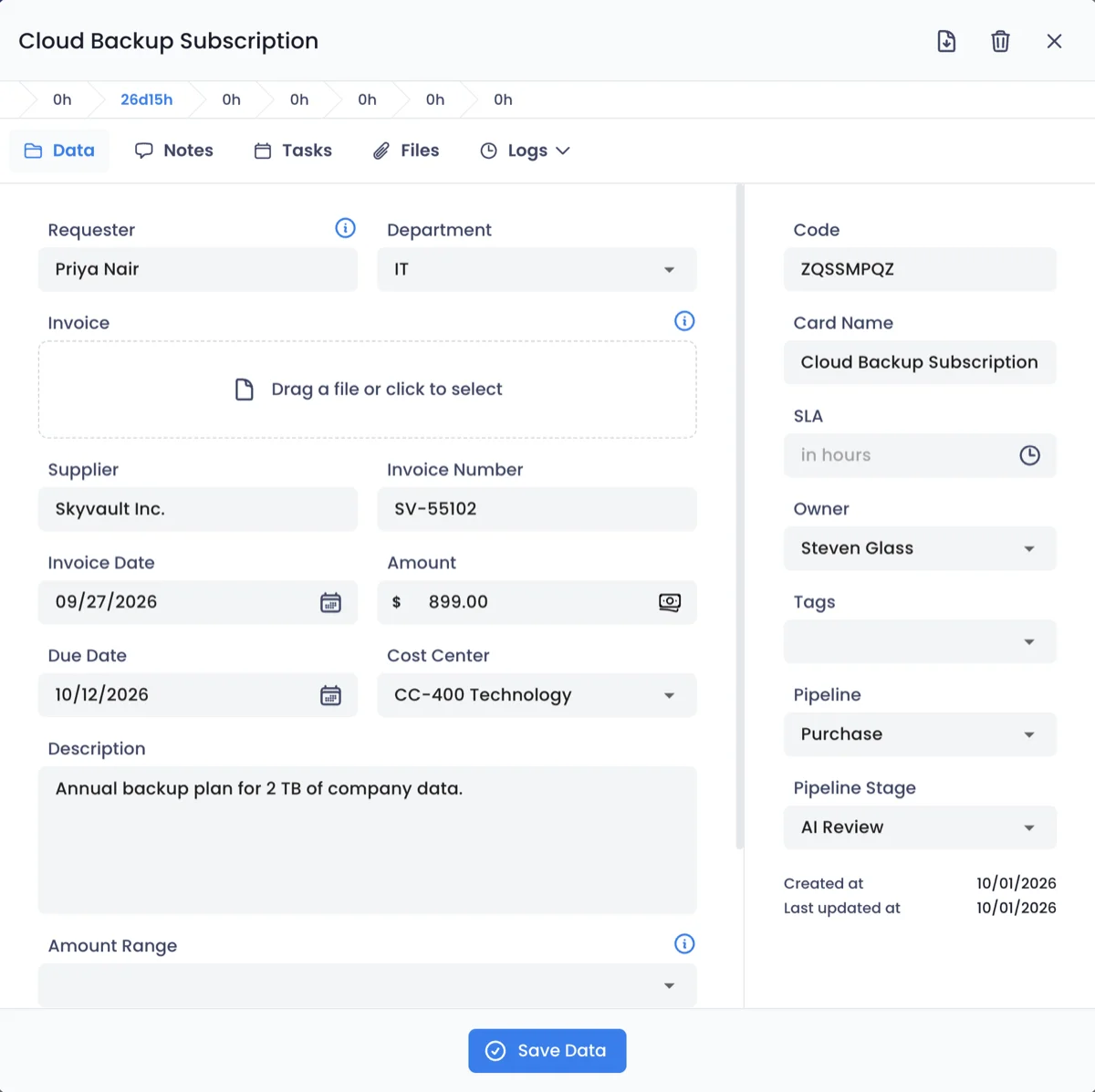
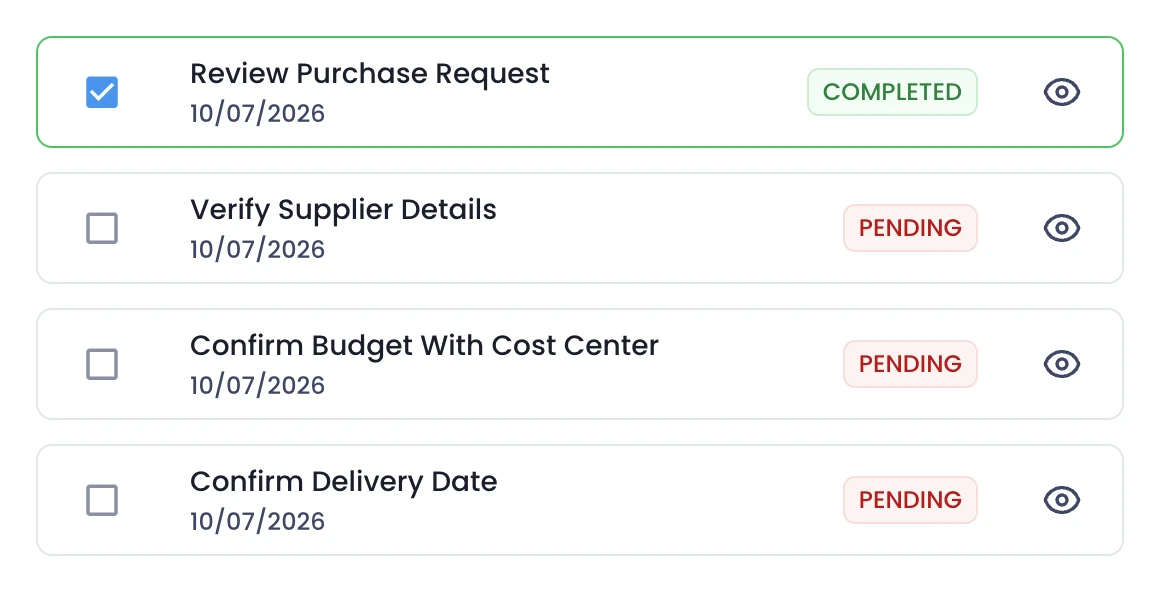
Each purchase opens as a card with the fields procurement needs, a checklist from quote to order and every quote attached. Status and history stay with the request.
- Fields for item, quantity and budget
- A checklist from quote to purchase order
- Quotes and contracts kept with the request
An agent for your buying rules, set up in minutes
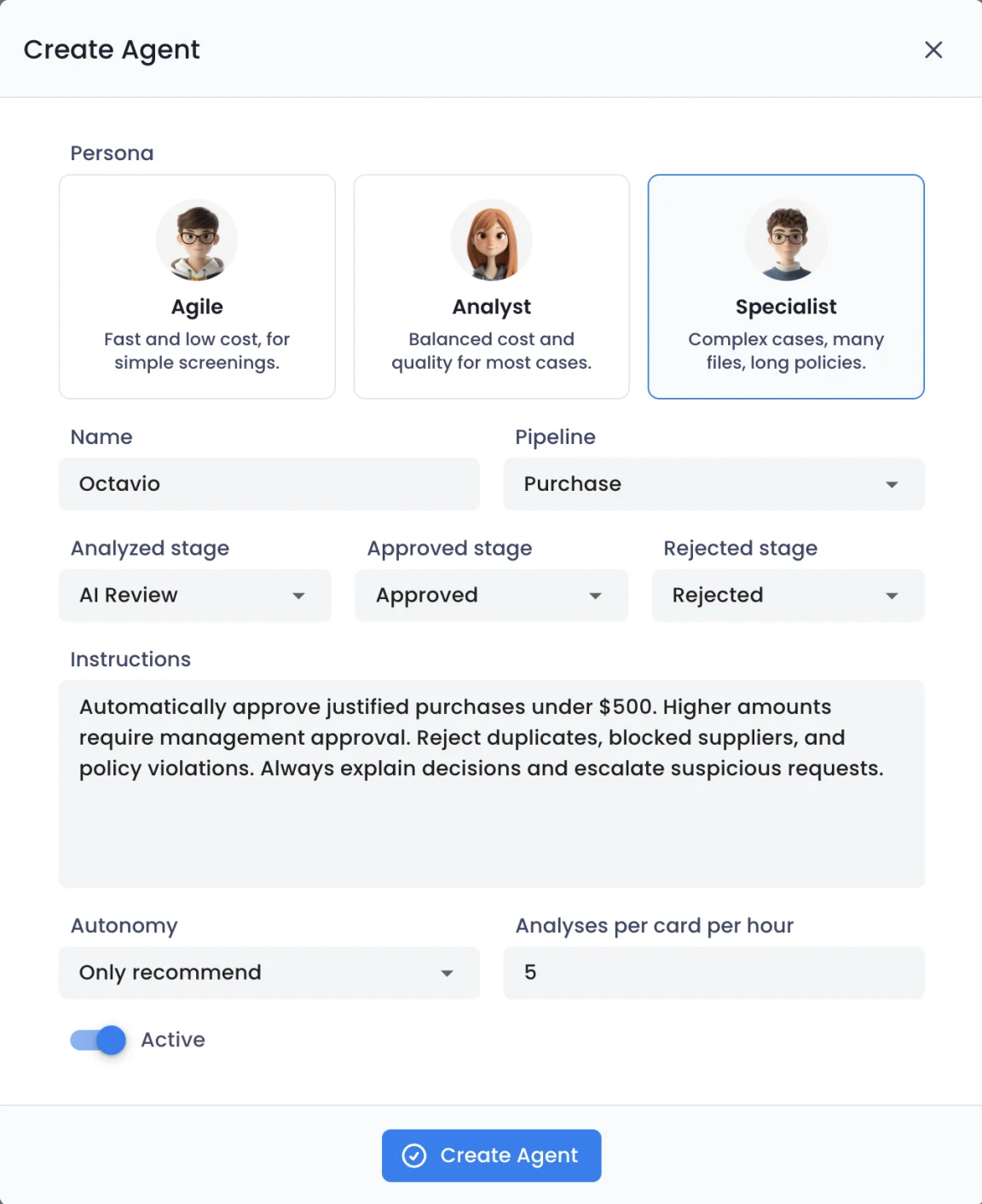
Write your purchasing policy in plain language, from budget limits to blocked suppliers, and choose where approved and rejected purchases go. Let it recommend first, then decide.
- Rules for budgets, suppliers and duplicates
- Approved and rejected stages you choose
- Autonomy from recommending to deciding
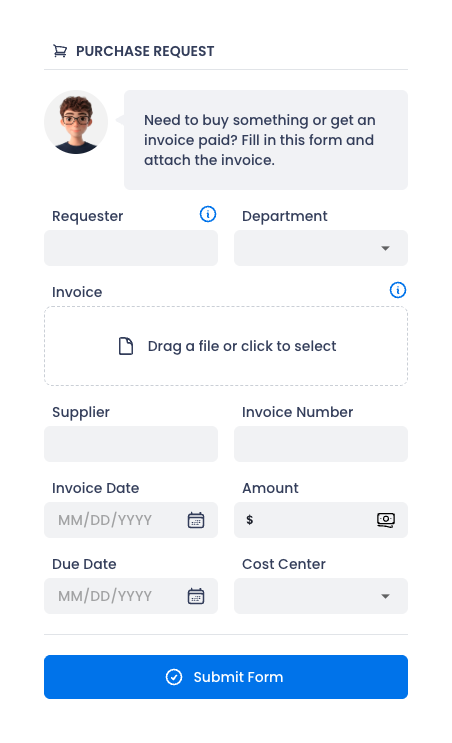
Receive purchase requests through forms
Teams ask for what they need on a private form, and vendors send quotes through a public link. Requesters follow every step on a tracking portal, without chasing procurement.
- Private forms for purchase requests
- Public links for vendor quotes
- A tracking portal for every requester

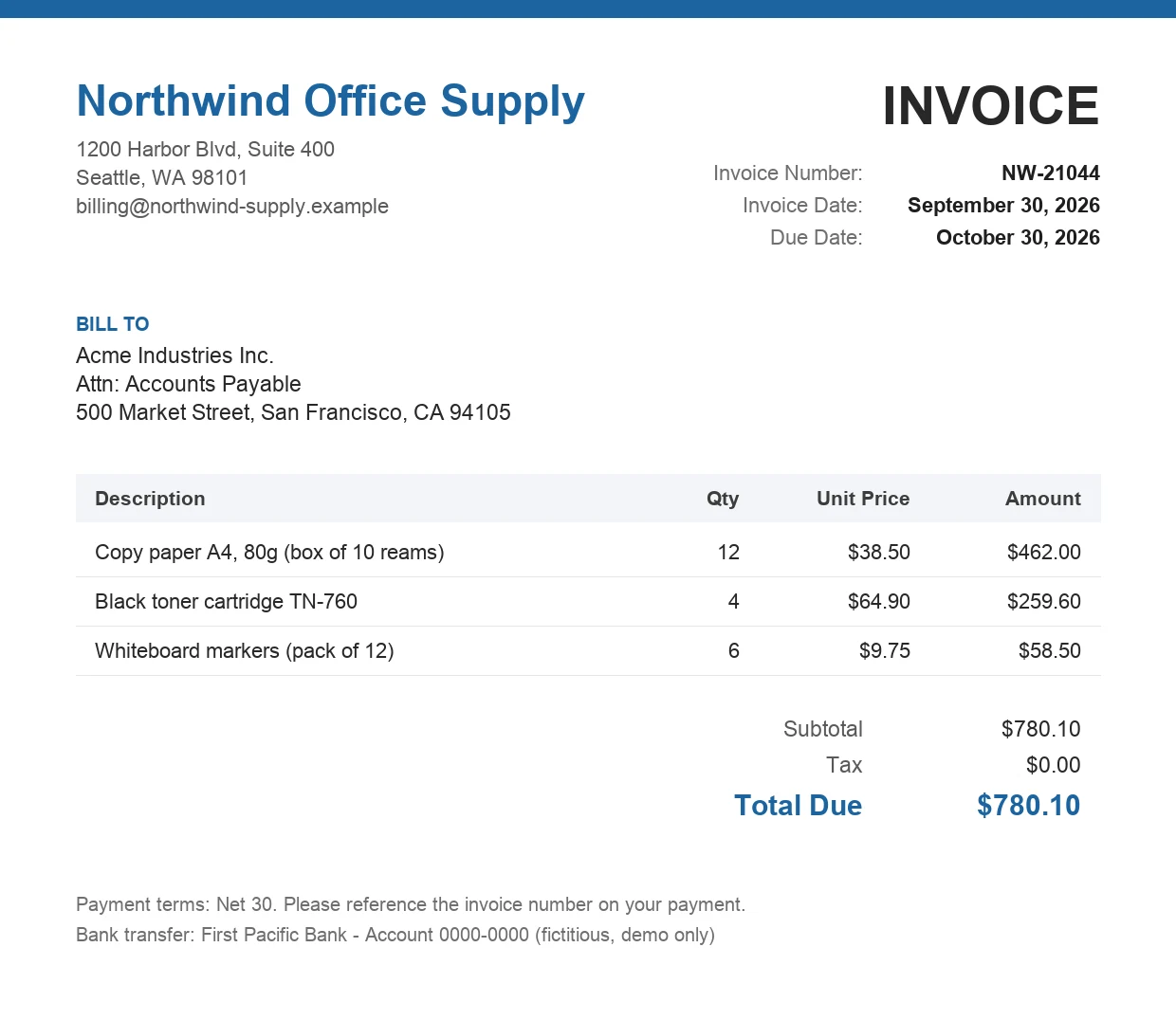
Quotes read and compared automatically
The Document Agent reads every quote and contract and checks prices, quantities and terms against the request, so nobody compares them by hand.
- Price, quantity, terms and vendor extracted
- Differences from the request flagged
- Missing quotes caught before approval
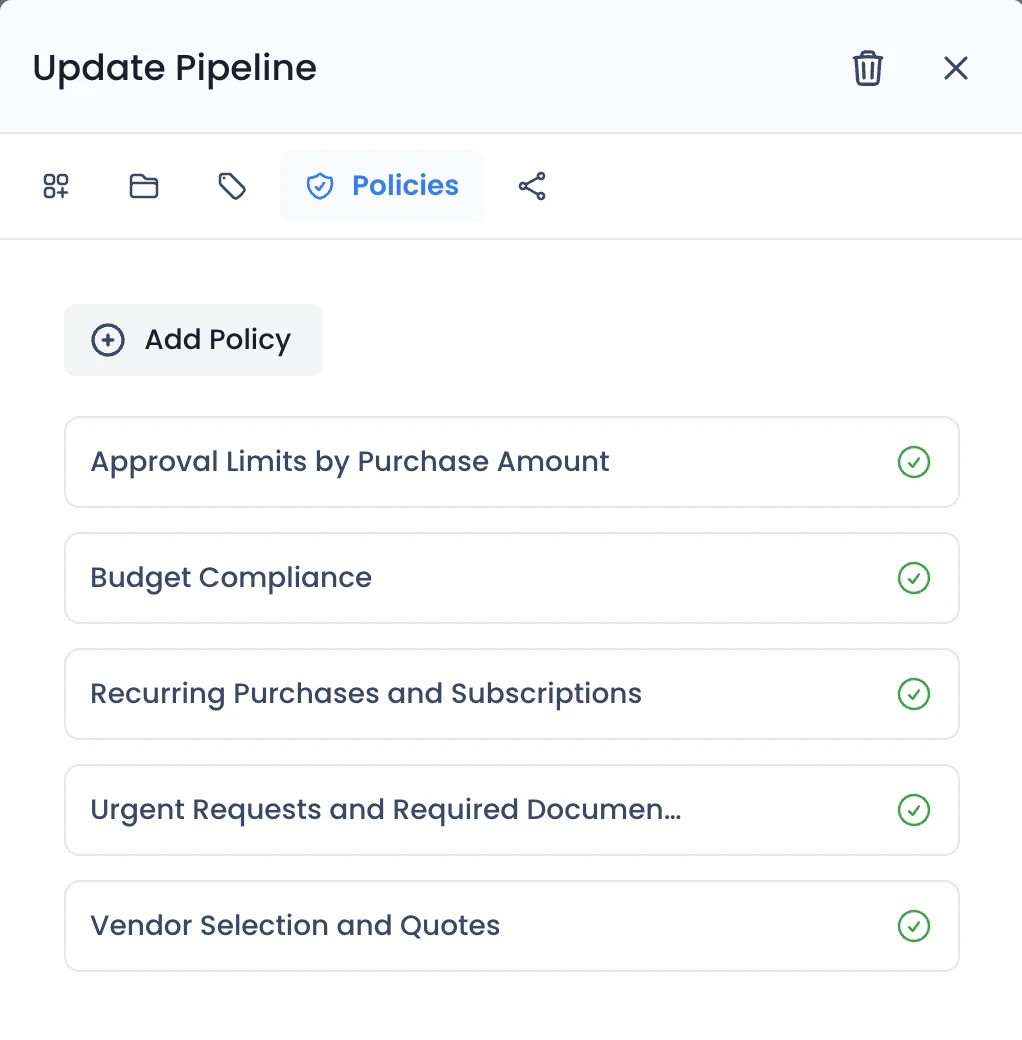
Your buying policies, applied to every purchase
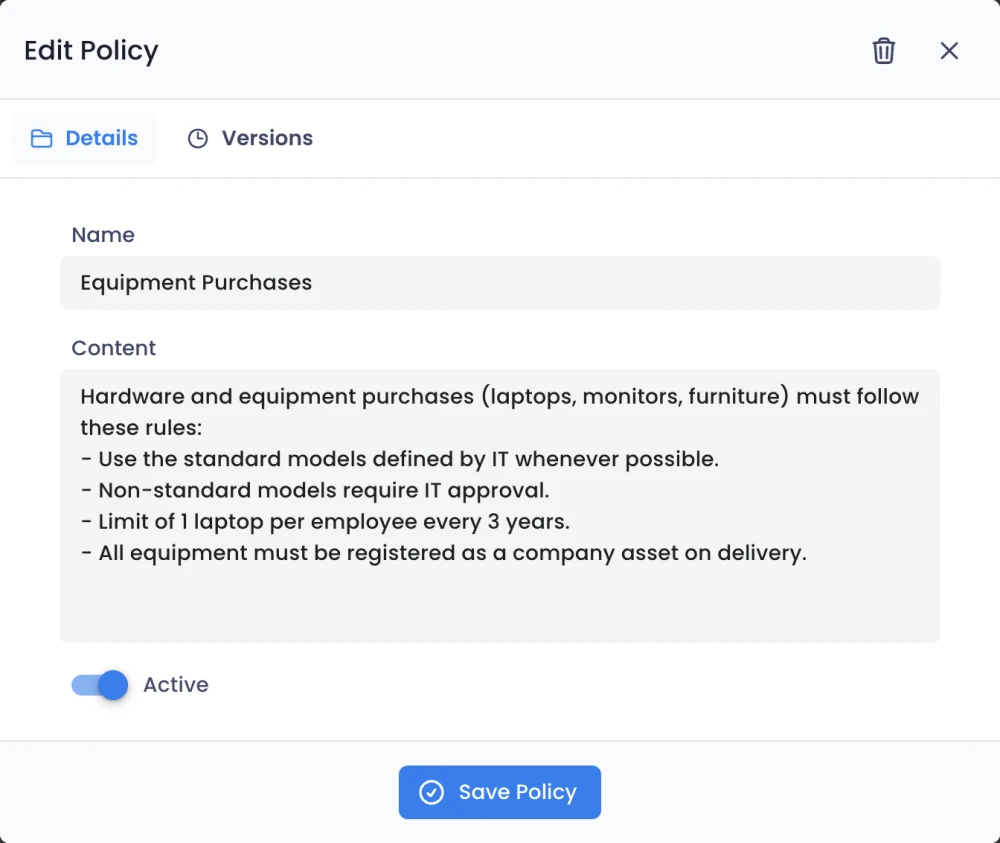
Write your purchasing policies in plain language: approval limits by amount, budget compliance, vendor selection and quotes. Edit a rule and the agents apply it right away.
- Limits by amount and budget
- Rules for vendor selection and quotes
- Versions saved for every change
Every purchase stays on record
Each purchase keeps a log of the quotes, checks and approvals behind it, so spend reviews and audits are a search, not a project.
- A timeline of every check and approval
- Who approved, and under which rule
- Ready whenever finance or auditors ask
Approval flows you can hand to AI agents
Examples of requests the agents review, the rule they apply and what happens next.
- 1
Purchase requests
Request
12 monitors for the design team, €2,280
Policy
Purchases over €2,000 need two quotes and budget in the cost center.
Agent checks
- Budget left in the cost center
- Two quotes attached
- Vendor is approved
Result: Approved automatically
- 2
New vendors
Request
Register Atlas Office Supply as a vendor
Policy
New vendors need an active tax ID, bank details and a signed agreement.
Agent checks
- Tax ID is active
- Bank details match the company
- Signed agreement attached
Result: Sent to procurement: agreement missing
- 3
Software purchases
Request
Annual license for a design tool, €540
Policy
Software is bought only when no approved tool already covers the need.
Agent checks
- No approved tool covers it
- Within the team budget
- Security review on file
Result: Approved automatically
Four agents, one review.
Each agent handles one part of the review. Every request passes through all four before a decision is made, and you can see what each one did.
Policy Agent
Reads your rules
Turns your written policy into the criteria every request is checked against, and updates them as soon as you edit the policy.
Document Agent
Reads documents & files
Reads invoices, receipts, quotes and other attachments, extracts the key fields, and flags anything missing or unreadable.
Decision Agent
Approves or rejects
Applies your criteria to the request and its documents, approves or rejects, and records the reason behind the call.
Escalation Agent
Flags exceptions
Sends anything outside policy, or anything it isn't sure about, to the right person on your team with full context.
What our customers say


“We went live with Octapipe in one month, across our six distribution centers. Purchase approvals that used to take days now take hours, and purchasing got 80% faster. From the first quote to the final approval everything is traceable, and the data goes straight into Power BI.”
 Thiago C.Purchasing Coordinator

“We moved 90 licenses from another tool to Octapipe, and it was one of the best decisions we made for operations. Shipments and restocking now run in one flow, connected to Shopify and to finance, and our operation got 45% faster. Every team sees the same thing at the same time.”
 Frederico R.Head of Operations

“Every launch means kits for influencers, partners and campaigns that have to arrive on time. With Octapipe connected to Shopify, we track every kit and shipment in one place, and our campaigns now run 22% faster. Nothing slips through, and partnerships stay on schedule.”
 Jedeson C.Head of Operations
See your own policy at work
Describe your first process and let the agents review its requests today.